1. Go to File

2. Add account

3. Fill in your username and click Connect
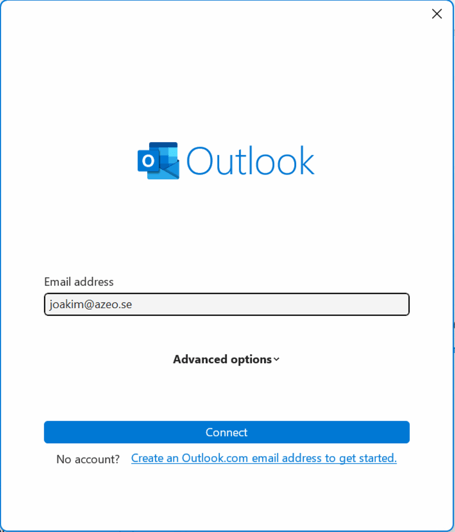
4. If you get Prompted the advanced setup option provide your supplier, in this case its Microsoft 365 (Exchange)

5. And your done and your email should show in the left menu!

Can we help?
Hope this article gave you answers – or maybe a few new ideas. If you'd like to take it further, we're here. Bounce an idea, ask a question, or let us help you get it done. It's free to ask.

Joakim Björck is a key contributor at Azeo in the role of Project Manager. His technical expertise and structured approach are essential to planning, leading, and delivering complex IT projects with high quality. Through his ability to coordinate teams, resources, and stakeholders, Joakim ensures efficient delivery, clear communication, and sustainable long-term solutions, making him a trusted partner for both customers and internal teams