Together in Teams

Together in Teams

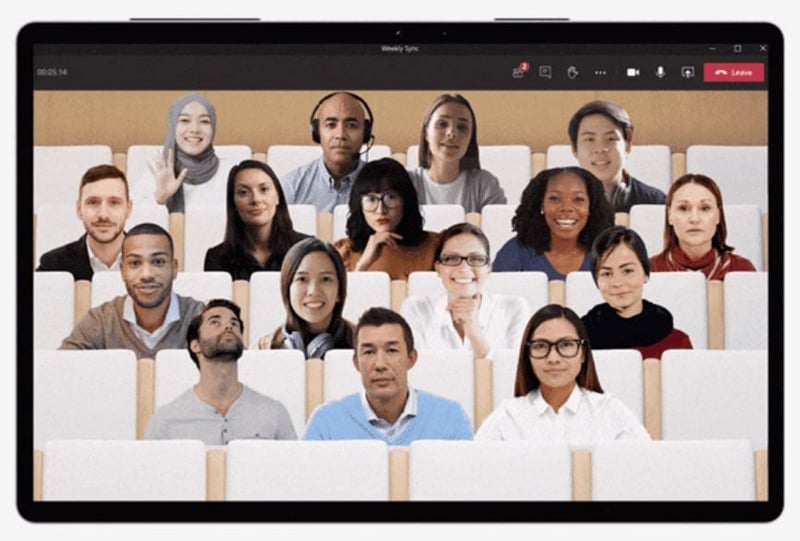
Are you leading a Team meeting with many participants that you need to speak in front of? Simply click on the three dots in Teams to access "Together mode". This feature creates a virtual conference room where all participants are placed as spectators in the same location. A small change that can make a big difference in how you feel as a speaker. This setting creates a sense of unity, with everyone appearing as a group sitting in front of you rather than in different locations. Give it a try next time!


Can we help?

Hope this article gave you answers – or maybe a few new ideas. If you'd like to take it further, we're here. Bounce an idea, ask a question, or let us help you get it done. It's free to ask.

Call 08-101 101

by Gustav Hagberg | gustav@azeo.se | 08-101 101

KTH and Handels at the core, and since then, I've been competing to keep the most balls in the air. Banana peels, self-balancing unicycles, construction cranes, stroller hooks, IT systems, and chemicals are just some of the things I've worked with!