.svg)
24/7 IT support – directly in your Microsoft Teams
With the Azeo Teams app, you get an AI assistant who knows your business and your IT practices. You get fast and personalized help around the clock - and when the AI isn't enough, a technician is automatically called in.
Personalized IT help that knows your business
The assistant is trained on your IT environment and policies, so you get accurate and secure answers directly in Teams. And when the AI isn’t enough, a technician is automatically called in — with no hassle. The app is included at no extra cost for all customers using our IT as a Service plan.
Smart AI support
Get IT help directly in Teams — fast, smooth, and without hassle. The assistant understands your company, your routines, and your IT environment, so you get the right answer instantly.
Always available
Support is there whenever you need it — around the clock. And if the AI can’t solve your issue, a technician is connected automatically, without you needing to do anything.
Safer for the whole company
The assistant automatically follows your policies and permissions. Everything is done securely in Teams, so you avoid wrong orders and security risks.
Clear answers & fast flows
Add users, offboard accounts, order computers, or get help with invoices — all directly in the chat. Save time and get more done with less administration.
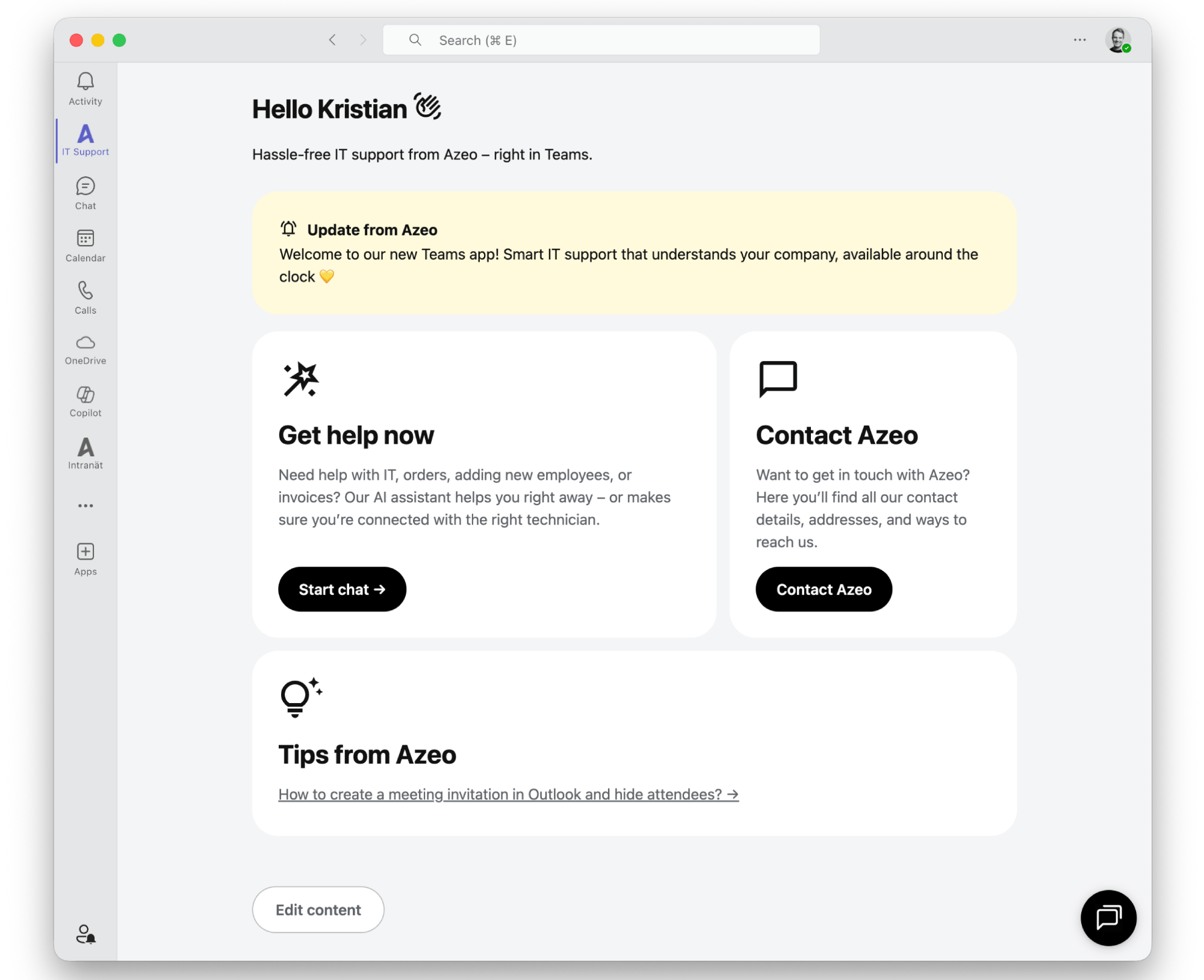
What you can do in the app?
- Get 24/7 IT support
- Add or remove users
- Order computers and accessories
- Book meetings or ask to be called
- Get help with billing questions
- Create tickets automatically
- Find guides and instructions directly in Teams
Everything directly in Teams - without extra portals. Hassle-free.
When AI is not enough
The AI assistant solves a lot on its own, but sometimes a human is needed. When it does:
- you are automatically connected to a technician
- create a ticket directly
- all relevant information is sent from the chat
You don't have to repeat yourself, and the technician can start helping you right away.
Frequently asked questions
How much does the app cost?
It is completely free for you as a contract customer.
If you don't have a contract with us yet - contact us for a price.
How does the AI assistant know who I am?
It is connected to Teams and detects which user is logged in. Therefore, you get answers and options that are relevant to you and your business.
How can it provide customer-specific answers?
We have trained the assistant on your IT environment, your policies and your procedures. This ensures that responses are more accurate, clear and secure than in a general chat.
What happens if the AI cannot solve my problem?
It automatically connects you to one of our technicians. A ticket is created instantly and the technician gets all the info collected by the AI, so you don't have to explain everything again.
Do we need to install anything?
No, you don't. We'll add the app for you, and it will automatically appear in Teams for all users.
Do you have questions about the Teams app?